Firmware Update(USB)
Firmware
Tap Confirm when this page shown on the Goldshell wallet device
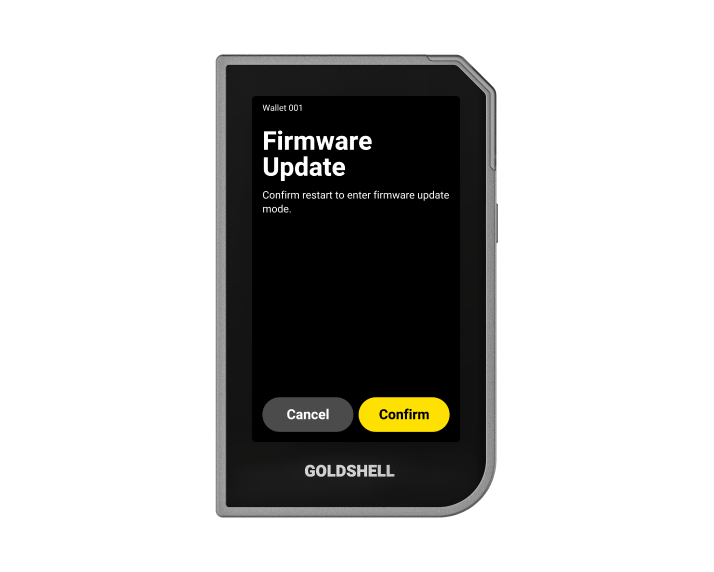
Firmware Update(USB)
Firmware
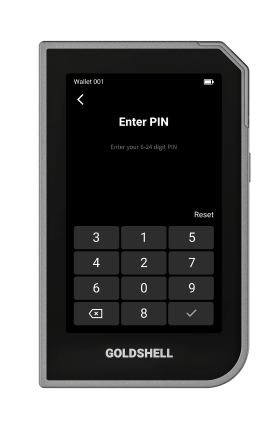
Enter PlN to unlock your device for confirm update

The upgrade is about to begin, please be patient..
Firmware Update(USB)
The current browser does not support device upgrades
Firmware Update(USB)
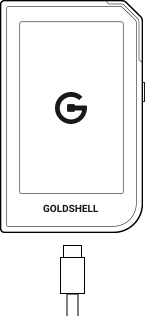
Connect your device to the computer using a USB data cable. Remains connected to the computer during the update process.
*Ensure you have a backup of your seed phrase before start.
*If there is an unexpected interruption or malfunction while upgrading the device, unplug the type-c port and plug it back in, then reopen the webpage to upgrade.
Possible causes of failure include:
- Damaged or low-quality USB cable causing unstable data transfer.
- Antivirus software or firewall on the computer blocking the upgrade file transfer.
- Insufficient battery or unstable power supply during the upgrade process.
- Interruptions or errors during data transfer.
- Damaged or low-quality USB cable causing unstable data transfer.
- Antivirus software or firewall on the computer blocking the upgrade file transfer.
- Insufficient battery or unstable power supply during the upgrade process.
- Interruptions or errors during data transfer.
Connect
Start
Uploading
Make sure to keep your computer on and stay connected to your wallet device during the update process.
0%
Start Updating
Update Interrupted
Make sure to stay connected during the update process. Please try again.
Back
Update Failed
Make sure to stay connected during the update process. Please try again.
back


